 Orionian
Steps
Your phone already counts your steps. Steps shows them: today against a goal, your history, and a home screen widget that says when it last updated.
Coming to Google Play
For Android 14 and laterThe view your phone left out
Since Android 14, your phone can count your steps by itself, through Health Connect. What it doesn't give you is a way to see them: no number on your home screen, no goal, no week or month. Steps is that view, and nothing more.
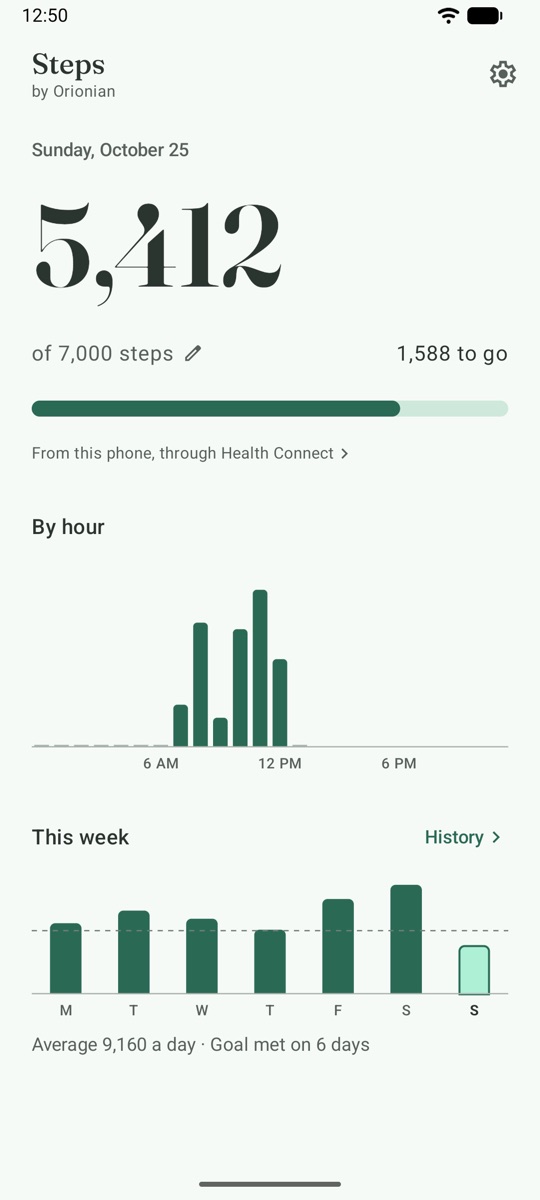
Today, against your goal 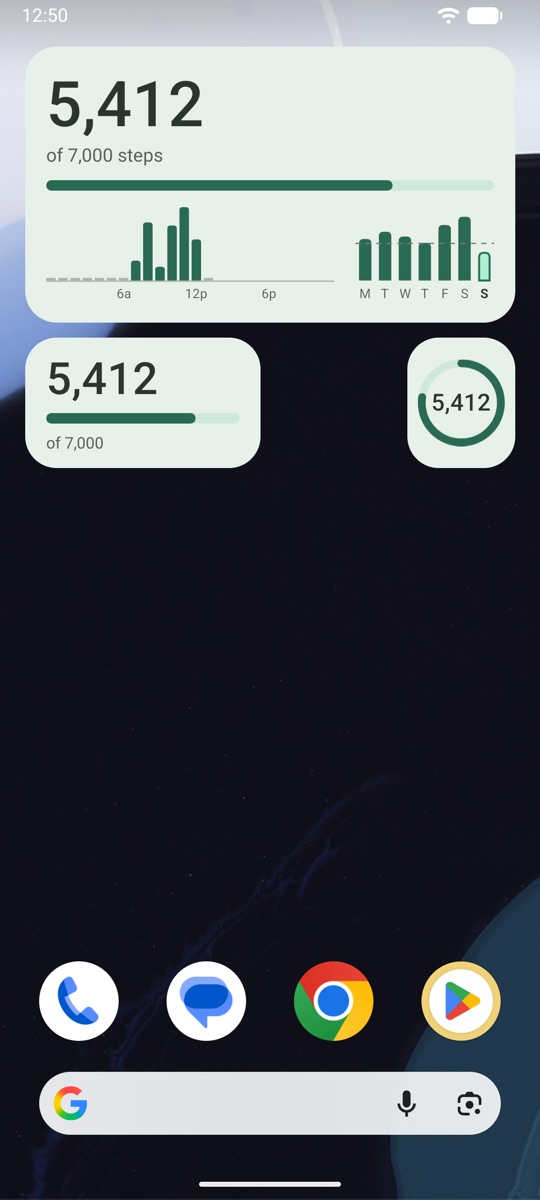
On your home screen 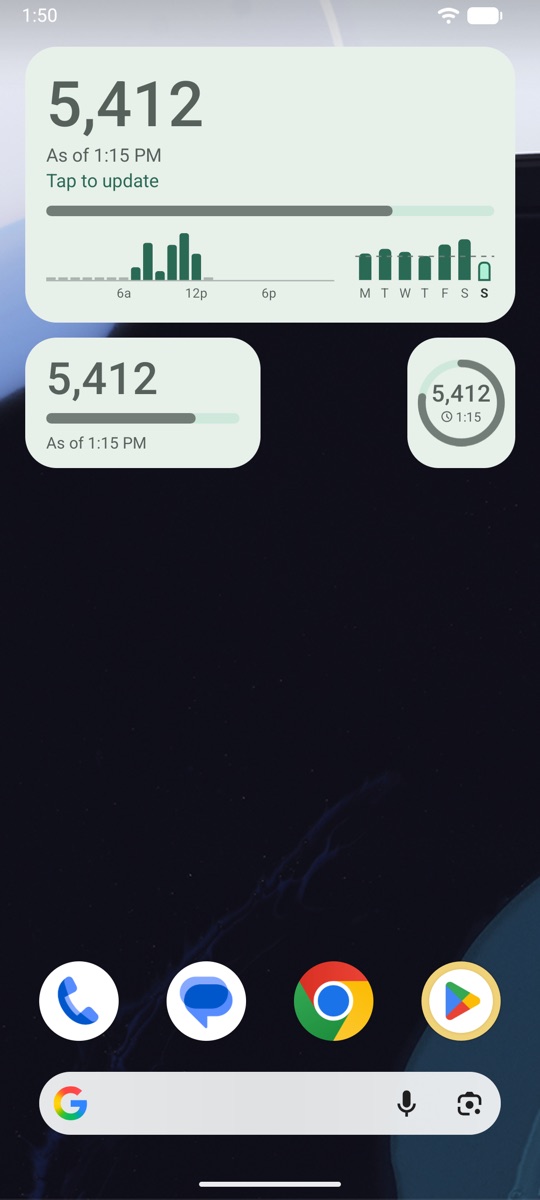
An old number says how old it is 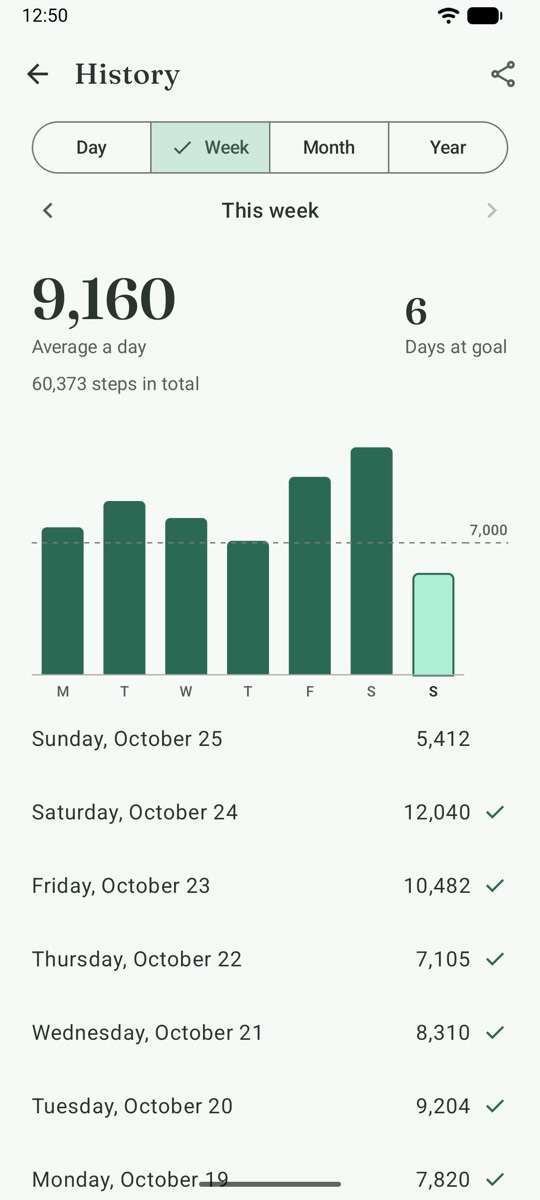
Every day, week, month and year
Why it's different
- It can't stop counting, because it doesn't count Step counters that count by themselves keep a service running in the background, and phones stop background work to save battery. That's how steps go missing. Steps reads the total Health Connect keeps from your phone's own counter or your watch's app, so nothing of Steps' runs to be stopped, and no battery goes to counting.
- One honest number Steps shows Health Connect's own total, so when your phone and your watch both count, the same steps aren't added twice. Today says where your steps came from and opens Health Connect's sources, where you choose which one counts first.
- A widget that says when it last updated When its number is more than 20 minutes old, it turns grey and shows its time ("As of 2:05 PM"), so an old number never passes for a new one. With your permission it updates about every 15 minutes while Steps is closed; without it, whenever you open Steps or tap it.
- Steps only reads It never writes or changes anything in Health Connect. It has no internet access, so your steps can't leave your phone through Steps. No ads, no account, no analytics.
- Today, history and goals Your steps by hour; history by day, week, month and year; a goal that starts at 7,000 and is yours to change, with past days keeping the goal they had; estimated distance from your height, if you turn it on; every day as a CSV file.
- Light and dark, for everyone Steps follows your phone's theme and wallpaper colours, with TalkBack and large text throughout, in 17 languages.
Why 7,000 steps
Steps starts with a goal of 7,000 steps a day because of a 2025 review of 57 studies that measured adults' steps with a device and followed them over time (Ding and colleagues, The Lancet Public Health).
Compared with 2,000 steps a day, 7,000 was associated with a lower risk of death from any cause, of cardiovascular disease, of dementia and of depressive symptoms. Overall, the drop in risk slowed before 7,000 steps. The authors suggest 7,000 might be a more realistic target for some people, and that 10,000 can still suit those who are more active.
The studies observed people rather than testing steps directly, so they show an association, not cause and effect. Choose the goal that suits you.
Ding D, Nguyen B, Nau T, et al. Daily steps and health outcomes in adults: a systematic review and dose-response meta-analysis. Lancet Public Health 2025; 10: e668-81. Read the paper
Steps Pro
Everything above comes with the app and stays with it. Pro is one payment through Google Play, with no subscription, and adds:
- Four more widgets Your year, your streak, the week as bars and a big number, and a clear look for every widget.
- Goals by weekday A different goal for each day of the week.
- Streaks and records Your best day, week and month, and your longest run of goal days.

Get Steps
Android 14 or later, with Health Connect step counting on the phone, or any app that writes steps to Health Connect, such as your watch's app. If you're happy with your watch's app or your phone maker's health app, you may not need Steps; it's for seeing your steps at a glance.
Coming to Google Play
Steps is not a medical device and does not diagnose, treat, cure, or prevent any medical condition. Distance is an estimate from your steps and height. Privacy policy